

Business performance
Stats & reports
Business performance reporting for the shop: revenue, appointments, clients, top services, staff performance, and forecasts — exported as a PDF or sent straight from the app.
What you get
4 capabilities
Guided flow
5 clear steps
Built for
Owners · Staff / barbers
Walkthrough
How stats & reports works in Reserveo
Follow the real app flow — from the first tap to the result on the floor.
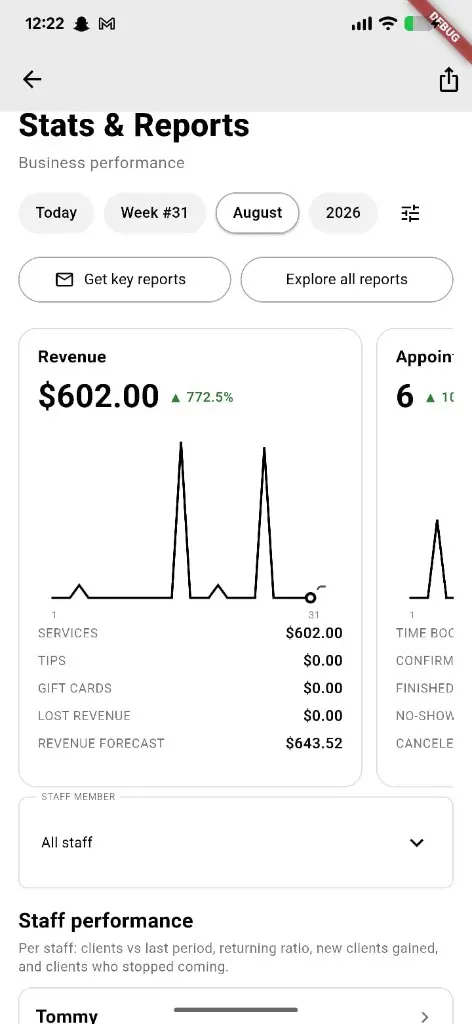
Revenue, appointments, and staff performance for the period you pick.
Open Stats & Reports
Business performance dashboard from the owner shell.
Next step ↓
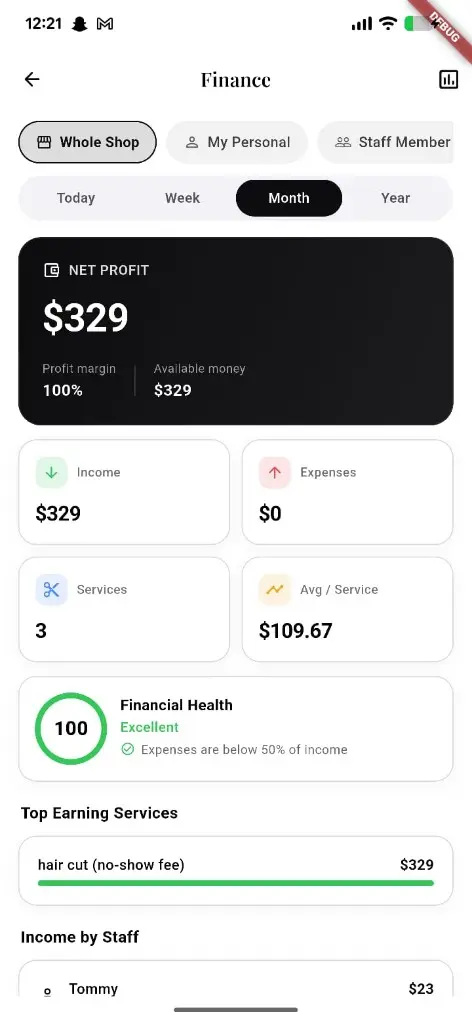
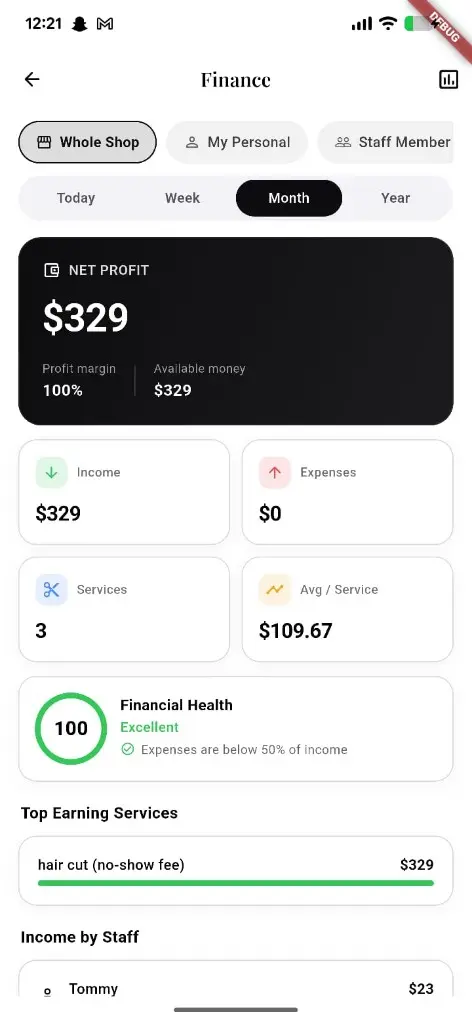
Pair reports with the finance hub for profit and expense health.
Pick a period
Day, week, month, or a custom range with the previous period alongside it.
Next step ↓
Pair reports with the finance hub for profit and expense health.
Read the breakdown
Revenue, appointments, and clients each expand into their own detail view.
Next step ↓
Pair reports with the finance hub for profit and expense health.
Check the client health
New, returning, return rate, and slipped clients — with call, SMS, WhatsApp, and email actions to win people back.
Next step ↓
Pair reports with the finance hub for profit and expense health.
Share it
Generate the report as a PDF and send it from the app.
Done — you’re live
In the app
Screens that make the feature feel real
Deep capabilities
Everything packed into this feature
Revenue detail
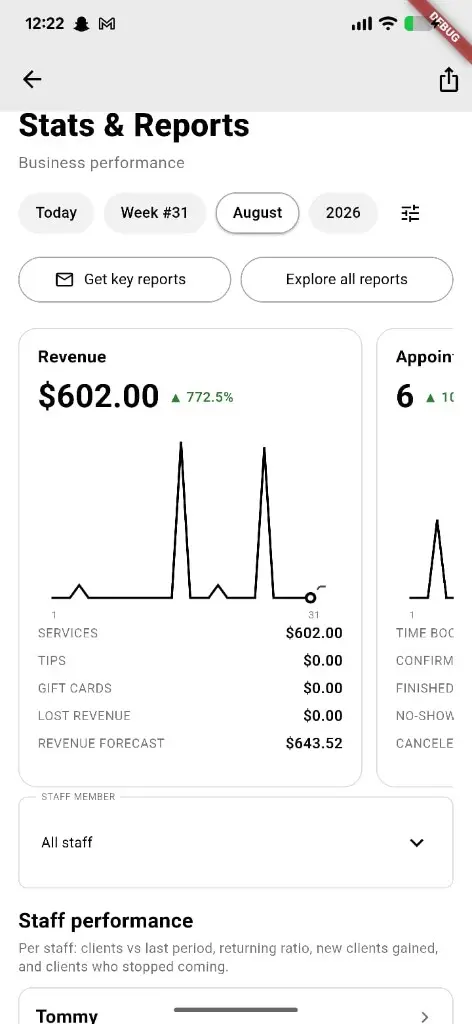
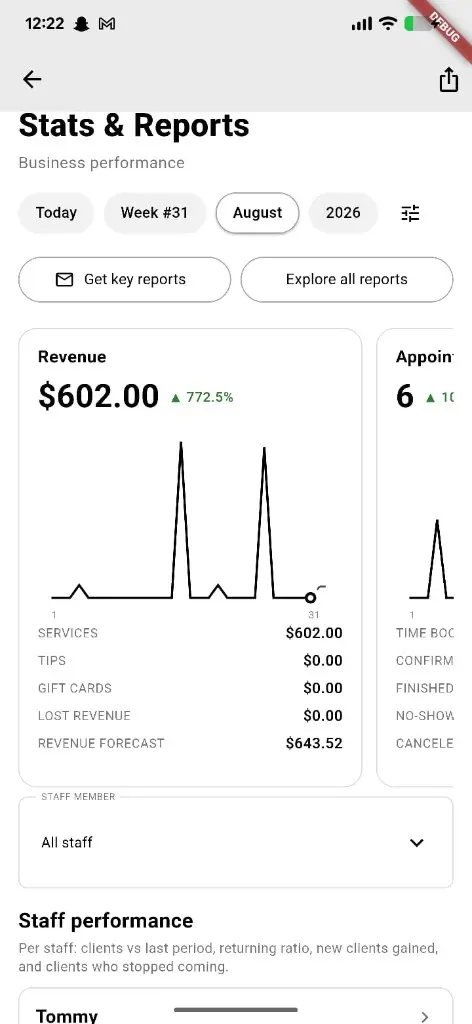
Services, tips, gift cards, time booked, and revenue forecast.
Appointment detail
Confirmed, finished, cancelled, and no-show counts with period-over-period deltas.
Top services & staff
Which services sell and how each chair is performing.
PDF export & send
Report documents generated in-app and delivered by email.
Audience
Who it’s for
Owners and managers who want to steer the shop on numbers, not gut feel.
Pro tips
Use it like a pro
- 1
Report data refreshes on a schedule — generate after the day is closed out for accurate totals.
- 2
Work the slipped clients list weekly; it is the cheapest rebooking you will ever do.
- 3
Compare against the previous period before you change prices or hours.
Keep exploring
Features that connect with stats & reports.
Put stats & reports to work in your shop
Free for barbers for the first 3 months. Apps coming soon — contact us for early access.